
Sales teams
Give every inquiry a first call.
See which new leads are waiting, who owns the first response and which estimates need another conversation. Give your sales manager a call list they can use in the morning huddle.
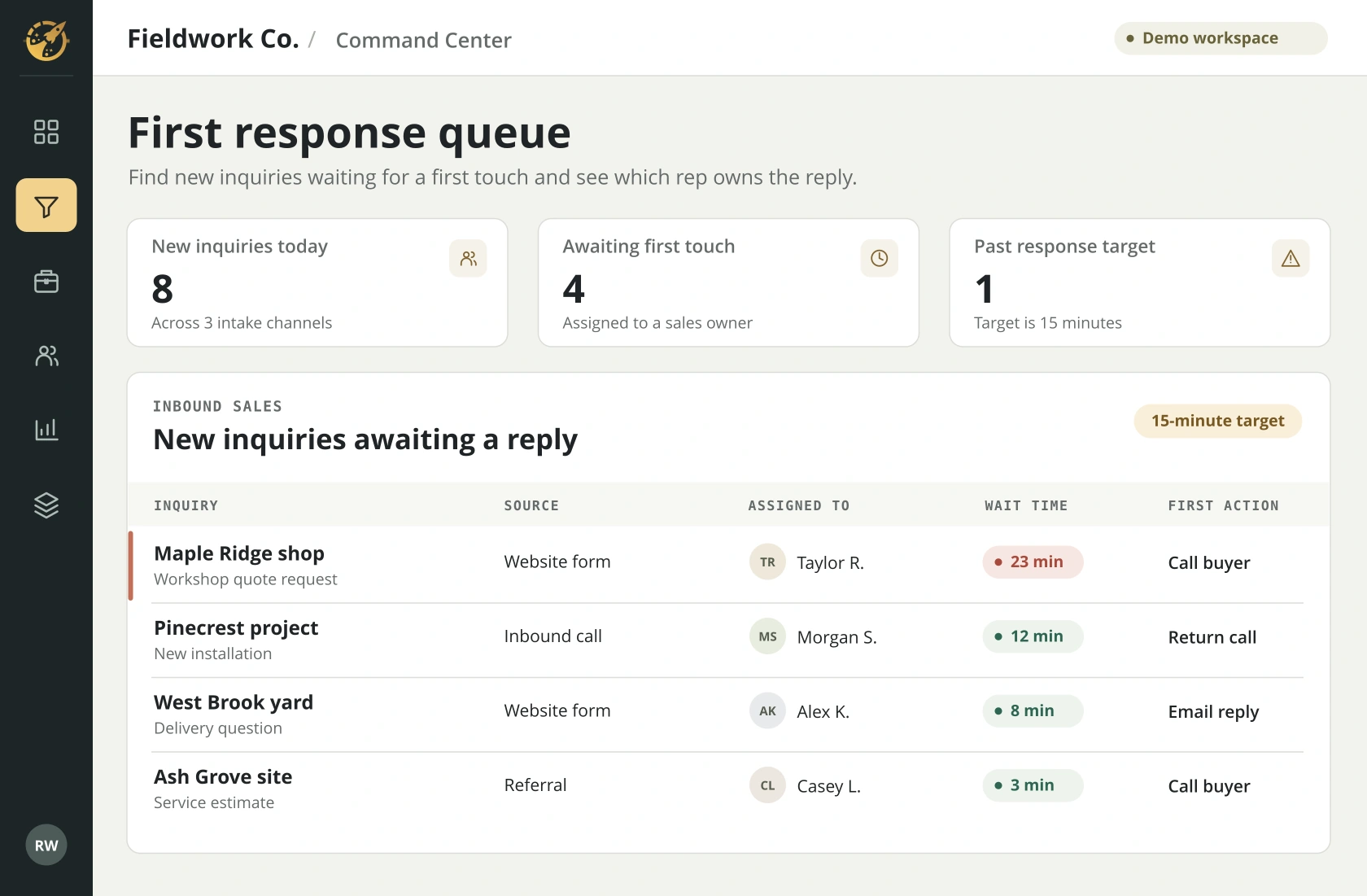
At the sales huddle
A decision your team faces.
A website inquiry comes in just before a rep steps into a meeting. The lead exists in the CRM, but everyone assumes someone else called. A shared first-response queue makes the gap visible.
See who is waiting
Sort incoming inquiries by age and compare them with the response target your team agrees on.
Assign the first touch
Review the owner and call status so one rep takes responsibility for the next conversation.
Work the open estimates
Move from new inquiries to the follow-up view and review the next call due on each quote.
SYSTEMS THAT CAN INFORM THIS VIEW
Where the answers come from.
We confirm which fields your software makes available and how often your team needs an update.
Browse integration examples- CRM
- Lead owner, opportunity stage and next action
- Forms and call systems
- Inquiry time, channel and first-contact activity
- Advertising and analytics
- Source and campaign details where available
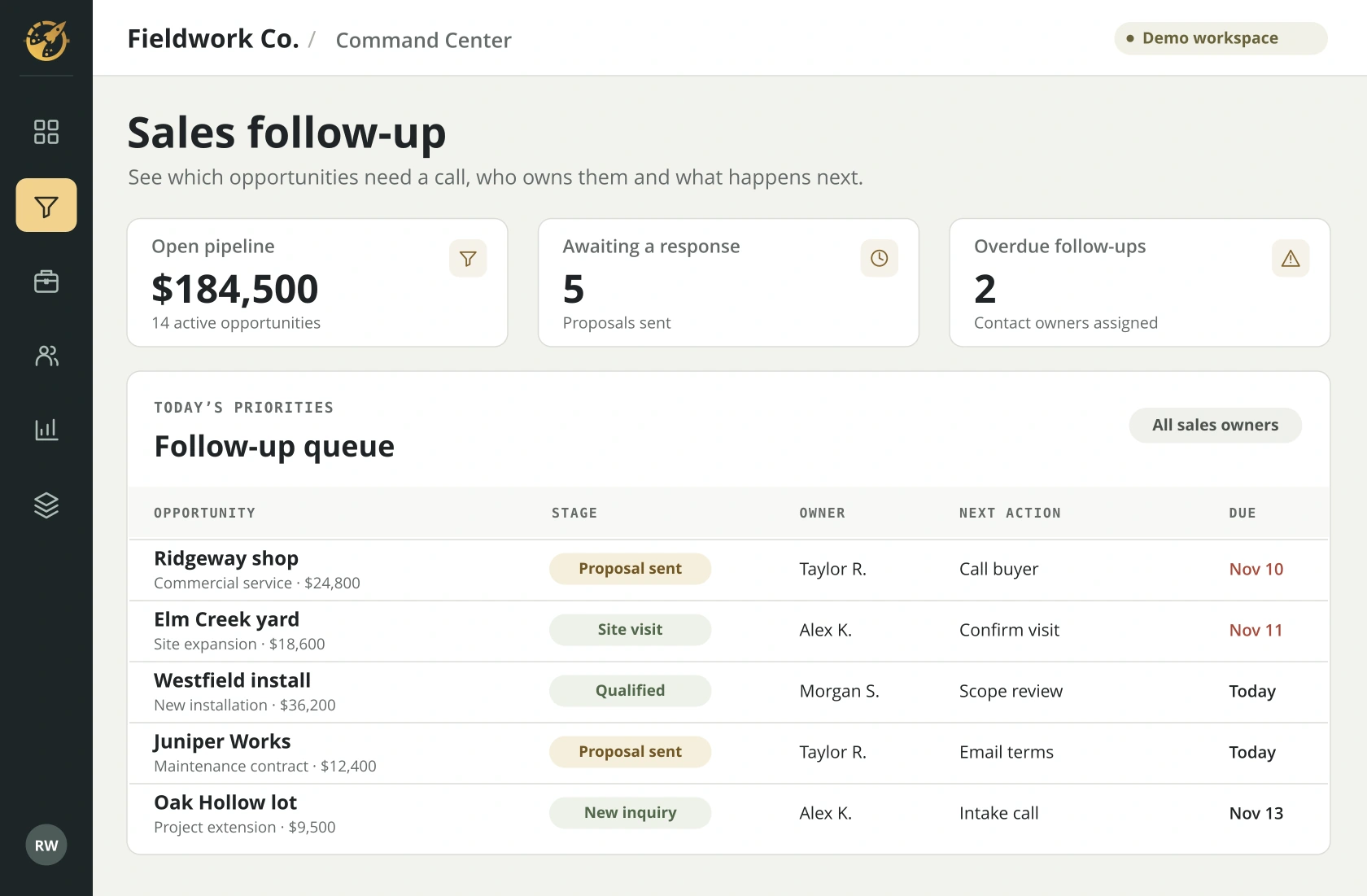
RELATED WORKSPACE
Which estimate needs a call?
Give the sales lead one queue with a next action, an owner and a due date. A quote that went quiet has a clear place in the morning call list.
See all demo screensYOUR WALKTHROUGH
See it with your workflow in mind.
Bring a recent lead that waited too long. We’ll trace it from the original inquiry to the first recorded call.