
People, HR & training
Is your team ready for the work you’ve sold?
Bring the job schedule, crew assignments and training sign-offs into one secure dashboard. Sales can give the customer a dependable answer, dispatch can plan coverage and each employee can see what they need to do next.
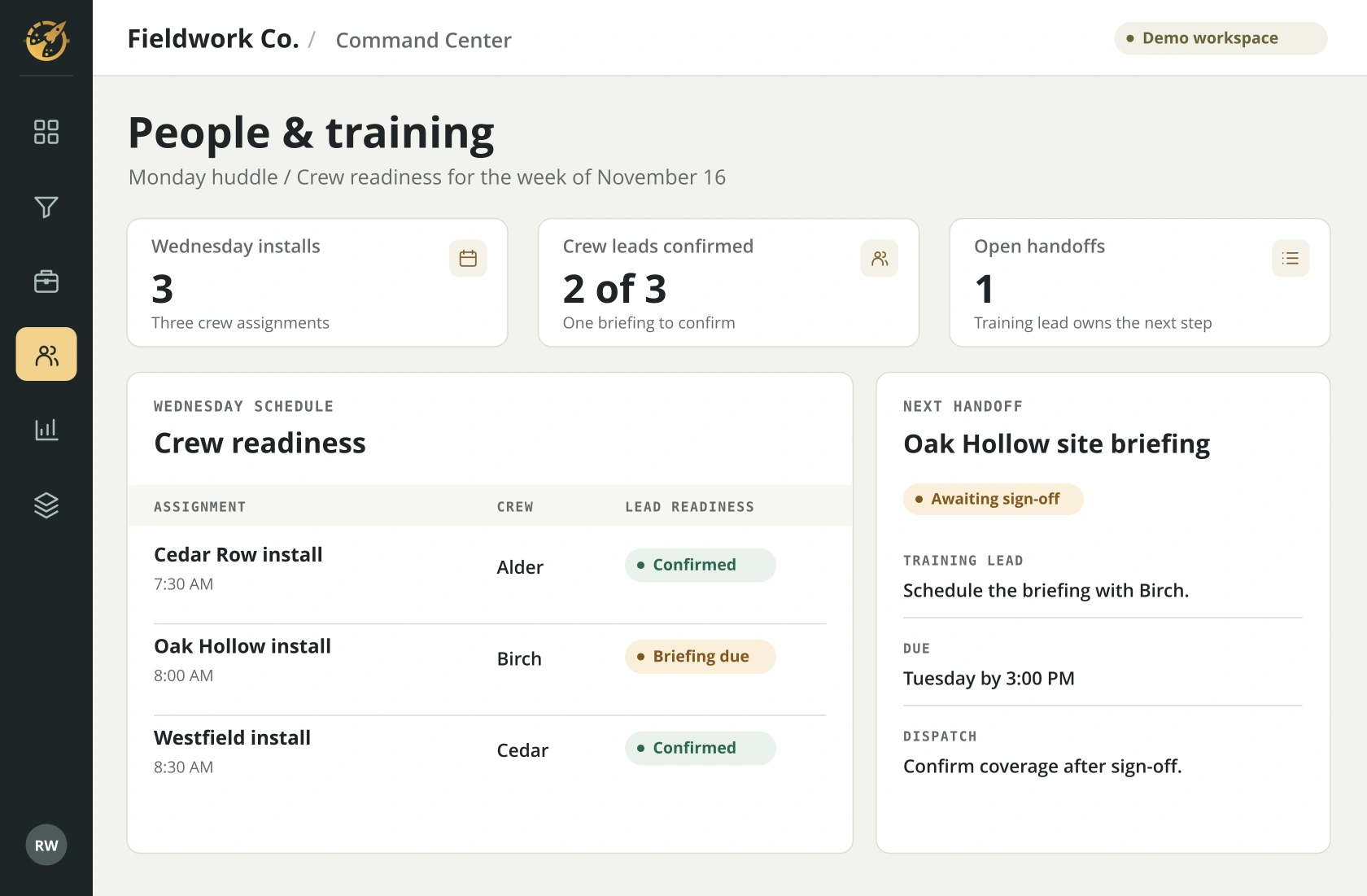
Inside a landscape team’s Monday huddle
A decision your team faces.
Sales has promised a Wednesday installation at Oak Hollow. The crew is on the schedule. The training record shows its lead still needs the site briefing. With those facts together on Monday, the team has time to keep the promise.
Dispatch spots the gap
Two of Wednesday’s three crew leads are confirmed. Dispatch flags the one open briefing while there is still time to arrange cover.
The training lead owns the follow-up
The training lead schedules the briefing with Birch crew by Tuesday at 3 p.m. The crew lead knows which site procedure to review and who will sign it off.
Sales closes the loop
Once the sign-off is recorded, dispatch confirms coverage and sales updates the customer. At the next huddle the owner can see whether the handoff is still open.
ROLE-BASED ACCESS
Who needs to see what?
During the build, we agree on the fields each role can see and test those views before launch.
- Employee
- My onboarding checklist, assigned procedures, training due dates and supervisor.
- Crew lead
- My crew’s assignments, readiness and sign-offs to complete before the job starts.
- HR or training manager
- Onboarding progress, renewal dates and overdue sign-offs for the people I support. Pay details and personnel files stay in the HR system.
- Owner or branch manager
- Coverage gaps, approaching deadlines and the person responsible. Branch and company views follow the access rules we agree on.
SYSTEMS THAT CAN INFORM THIS VIEW
Where the answers come from.
We confirm which fields your software makes available and how often your team needs an update.
Browse integration examples- CRM and job schedule
- Promised installation date, job, branch and assigned crew
- HR and scheduling systems
- Role, supervisor, start date and availability needed for the assignment
- Learning and SOP platforms
- Assigned procedure, training completion, renewal date and sign-off owner
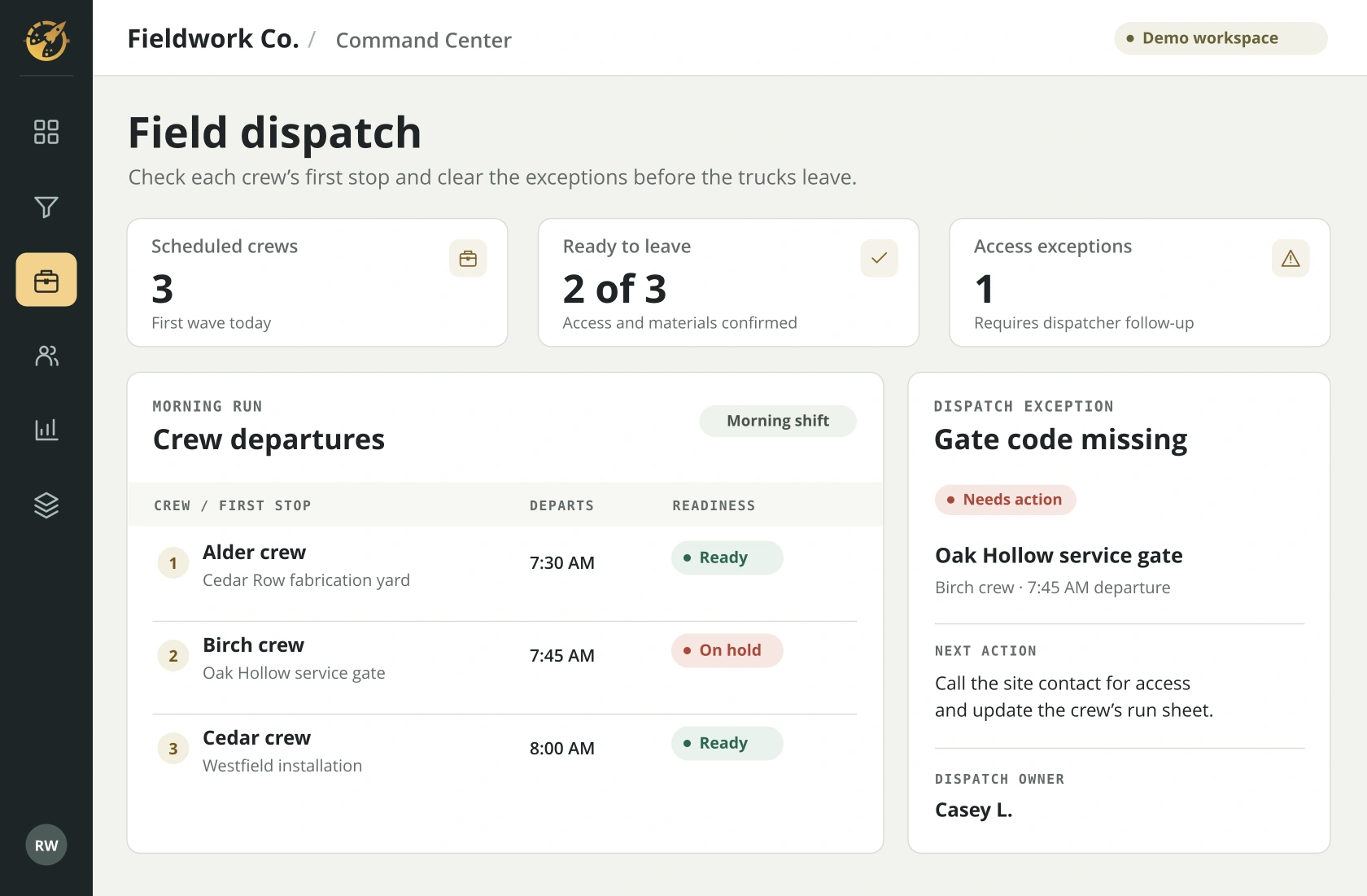
RELATED WORKSPACE
Can every crew reach its first stop?
Check the route assignments and see which crew needs access instructions before leaving the yard.
See all demo screensYOUR WALKTHROUGH
See it with your workflow in mind.
Bring a sample crew schedule and the checklist you use to get a new hire ready for a first job. We’ll map what the employee, supervisor and office each need to see.